Create Attribute in Windchill
1 New Attribute Organizer
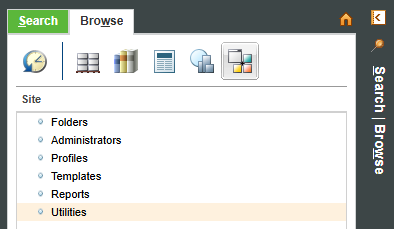
Open Navigator -> Browse -> Site -> Utilities
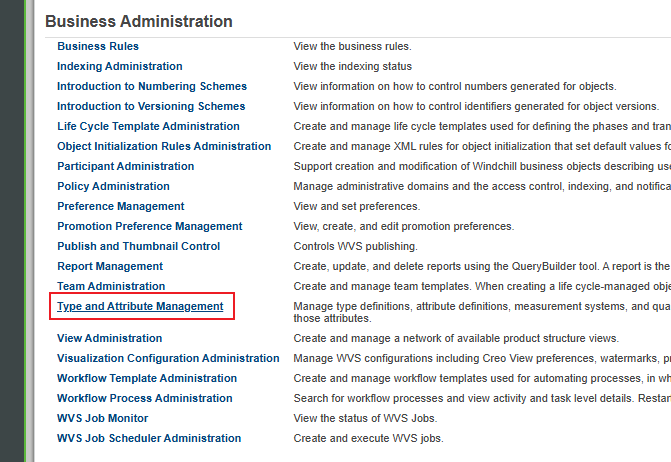
Find Type and Attribute Management
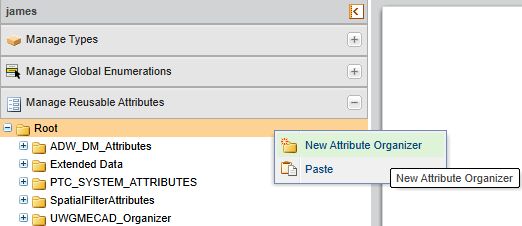
In the left panel, expand Manage Reusable Attributes and select Root, then right-click New Attribute Organizer
Enter the following information for the attribute organizer:
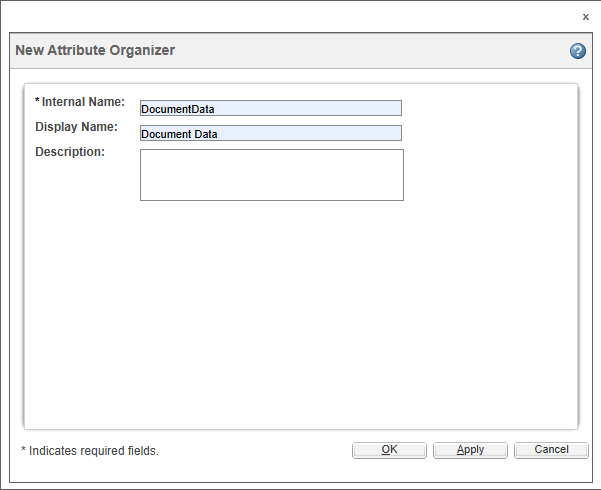
Internal Name—(Required) The internal name for the attribute organizer. The internal name for an attribute organizer must be unique from the internal name of its sibling organizers. Only alphanumeric characters, underscores ( _ ), and periods ( . ) can be used in the Internal Name. The Internal Name field can be no more than 200 characters long.
Windchill provides a suggested prefix for the internal name. The suggested prefix is the reverse internet domain for the organization owning the context, based on the context from which the Type and Attribute Management utility was launched. For example, for an organization with the internet domain, acme.com, the suggested prefix is com.acme.
Display Name—(Optional) The name for the attribute organizer as it displays in the navigation pane tree structure. If the display name is not specified, the Internal Name is used as the display name.
Description—(Optional) A description of the attribute organizer.
Click OK to create the attribute organizer. The organizer is created as a child of the organizer from which the New Attribute Organizer action was launched.
When the attribute organizer is created, the information page for the attribute organizer displays in edit mode. Clicking Cancel to exit edit mode does not undo the creation of the attribute organizer. To remove an attribute organizer, use the Delete action.
Click Apply to create the attribute organizer, and refresh the New Attribute Organizer window to create another attribute organizer.
2 New Reusable Attribute
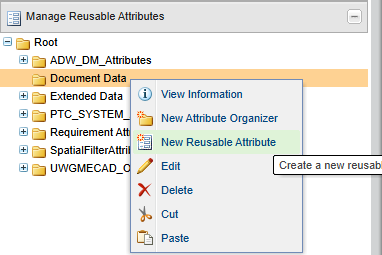
Select organizer created just now, then right-click New Reusable Attribute
Enter the following information for the reusable attribute:
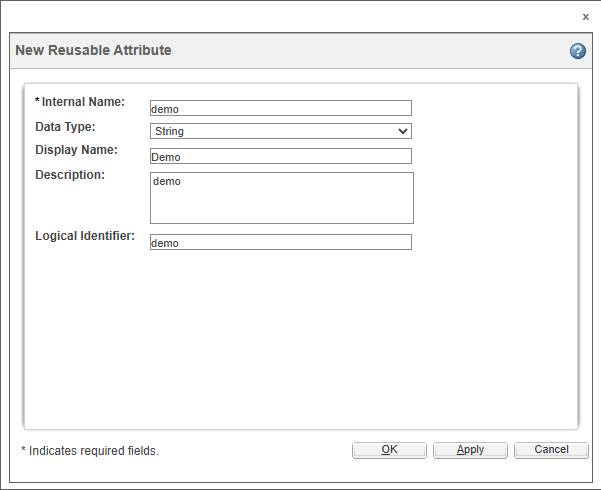
Internal Name—(Required) The internal name for the reusable attribute. Only alphanumeric characters, underscores ( _ ), and periods ( . ) are allowed in the Internal Name. The Internal Name field can be no more than 200 characters long. The internal name for a reusable attribute must be unique within the system.
Windchill provides a suggested prefix for the internal name. The suggested prefix is the reverse internet domain for the organization owning the context, based on the context from which the Type and Attribute Management utility was launched. For example, for an organization with the internet domain, acme.com, the suggested prefix is com.acme.
Data Type—(Required) The data type determines the values that the attribute can contain when a global attribute referencing this reusable attribute is added to a type. For more information, see Supported Data Types.
As only organizations are supported as a reference class for reusable attributes, Organization Reference is offered as the reference data type.
Display Name—(Optional)The name for the reusable attribute as it displays in the navigation pane tree structure. If the display name is not specified, the Internal Name value is used as the display name.
Logical Identifier—(Optional) A name to identify the attribute in external configuration and property files. It is often the same as the Internal Name and must be unique across all attributes in the system. Only letters, numbers, underscores ( _ ), and periods ( . ) are allowed in the Logical Identifier.
Description—(Optional) A description of the reusable attribute. If a description is not entered, the Internal Name value is used as the description.
Click OK to create the reusable attribute. The information page for the reusable attribute displays in edit mode.
Click Apply to create the reusable attribute, and refresh the New Reusable Attribute window to create another reusable attribute.
When the reusable attribute is created, the information page for the reusable attribute displays in edit mode. Clicking Cancel to exit edit mode does not undo the creation of the reusable attribute . To remove a reusable attribute , use the Delete action.
3 Create an Attribute
In the left pane, expand Manage Types, select a type.
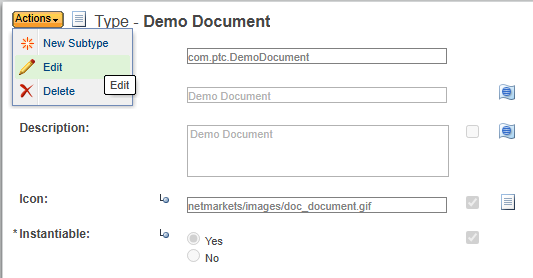
In the type information page, from the Actions menu, select Edit.
In the Attributes tab, click  Create a new attribute.
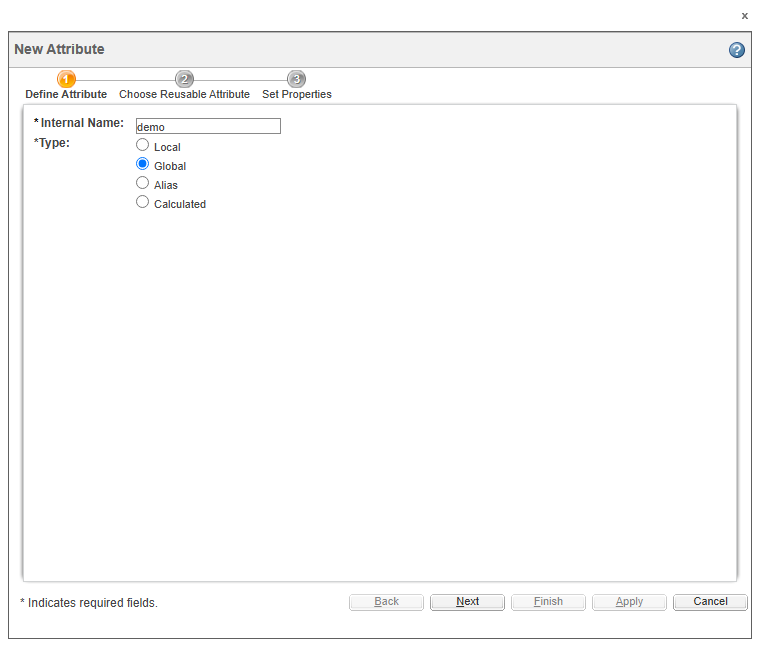
In the New Attribute dialog box, create a new String attribute with the internal name as demo and type as Global. Click Next.
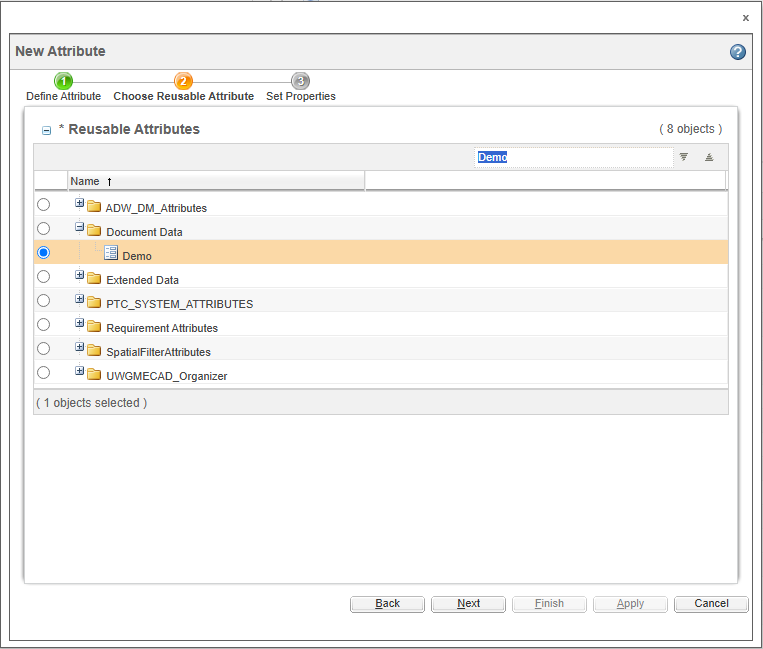
In the Reusable Attributes table, search for Demo, select it and click Next.
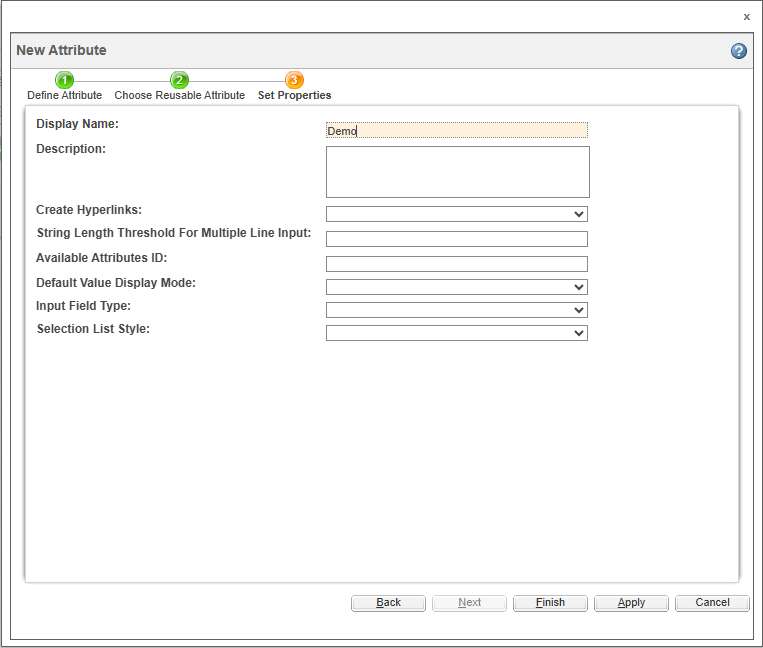
Change the display name to Demo and click Finish.